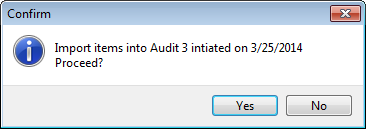
In this section you will import an audit file into My Pricebook. The Audit file will need to be on the computer, or on an inserted USB drive. You will need to know the name of the file as well.
If the Audit file was uploaded from a hand held device, the name of the file will be Audits.txt.
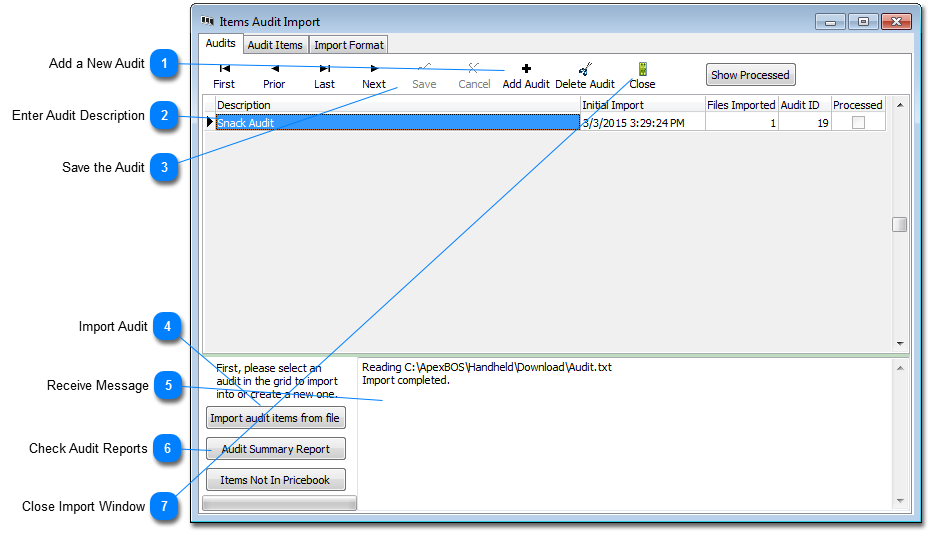
Click add a new Audit. This will add a new line to the Audits grid and insert the date and time in the Initial Import field and add an Audit ID in the last field.
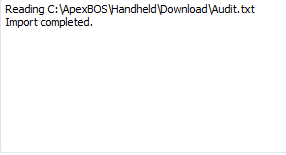
When the import completes, you will receive a message in the message box. The 'Files Imported' field will increase by 1. You can import multiple files into one Audit.
Please make sure you see the "Import completed. xxxx records were added' If no records were added you me need help getting the system to recognize the Audit file. Please call Support.










 will increase by 1. You can import multiple files into one Audit.


 to close the Import window.