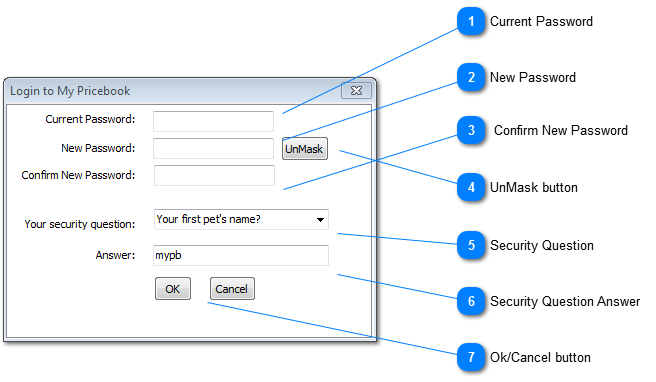
Current PasswordPlease enter your current Password
|
|
 New Password |
|
 Confirm New Password |
|
 UnMask buttonClicking this button will remove the * when you type your password so you can see what you are typing
|
|
 Security Question Select a Security Question from the drop down box
|
|
 Security Question Answer Please enter an answer to the select Security Question
|
|
 Ok/Cancel button When complete select OK or you an Cancel the change.
|
|